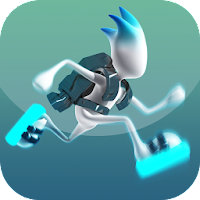
G-SWITCH 3

SIMILAR GAMES









Description


G-Switch 3 - School Unblocked Games
About G-Switch 3 - School Unblocked Games
We deliver a comprehensive overview of G-Switch 3, the latest installment in the popular G-Switch series that has become a staple in school unblocked games collections. The title combines fast‑paced reflex challenges with simple keyboard controls, allowing students to jump, flip, and navigate through increasingly complex geometric obstacles during short breaks between classes. Developed for browser‑based play, the game runs smoothly on most school computers, requiring only a modern web browser and no additional plugins, which aligns perfectly with the constraints of typical school networks.
Gameplay Mechanics
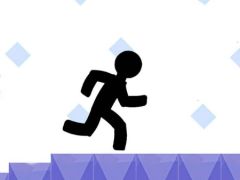
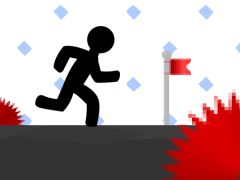
We explain that the core of G-Switch 3 revolves around switching gravity to traverse platforms that appear on both the floor and ceiling. Each level presents a series of moving blocks, spikes, and sudden drops, demanding precise timing and quick decision‑making. The player controls a small square avatar that automatically moves forward; pressing the spacebar or the up arrow key inverts the current gravity direction, enabling the avatar to walk on surfaces that would otherwise be inaccessible. This mechanic creates a dynamic interplay between speed and orientation, keeping gameplay fresh across dozens of levels.
Controls and Movement
We emphasize that the control scheme is intentionally minimal: the only input required is to toggle gravity, which simplifies learning for beginners while still offering depth for advanced players. Mastery involves anticipating the rhythm of obstacle patterns, chaining gravity switches to maintain momentum, and executing perfect jumps over gap sections. The simplicity of the controls ensures that even younger students can pick up the game within a few seconds, yet the escalating difficulty curve provides a rewarding challenge for those seeking mastery.
Why It Is Popular in Schools
We highlight several factors that contribute to the widespread adoption of G-Switch 3 within educational environments. First, the game is hosted on the School Unblocked Games platform, which curates titles that are free from intrusive advertisements and do not require downloads, preserving a safe and distraction‑free experience. Second, the fast‑loading nature of HTML5 games fits neatly into brief classroom interludes, allowing students to recharge without consuming excessive instructional time. Finally, the competitive leaderboard and achievement system foster a sense of community, encouraging friendly rivalry while reinforcing basic hand‑eye coordination skills.
Accessibility and Compatibility
We note that G-Switch 3 is built using standard web technologies, making it compatible with all major browsers used in school computer labs, including Chrome, Firefox, and Edge. Because the game relies solely on keyboard input, it does not require a mouse or touchscreen, which accommodates a wide range of hardware configurations commonly found in educational settings. Additionally, the absence of high‑resolution graphics or intensive sound effects ensures that the game runs efficiently on modest machines, preventing lag that could disrupt the classroom flow.
Tips and Strategies
We provide practical guidance for players aiming to improve their performance. Beginners should focus on mastering the timing of gravity switches, practicing on early levels to develop a rhythmic sense before tackling later stages. Advanced players can experiment with chaining multiple switches to create longer runs, and they should watch for patterns in obstacle placement that repeat across levels. Maintaining a steady forward speed while alternating gravity at optimal moments maximizes distance traveled and reduces the likelihood of hitting spikes.
Common Pitfalls
We warn against several frequent mistakes that can hinder progress. Over‑pressing the gravity key can cause the avatar to oscillate rapidly, leading to loss of control and collisions with obstacles. Additionally, players often neglect to observe the background visual cues that indicate upcoming platform changes, resulting in premature gravity switches. By staying attentive to these nuances, players can avoid unnecessary setbacks and progress more smoothly through challenging sections.
Community and Updates
We describe how the player community interacts with G-Switch 3 through online forums and shared high‑score boards hosted on the same platform. Regular updates introduced by the developers bring new level designs, refined visual aesthetics, and occasional tweaks to balance gameplay difficulty. These updates keep the experience fresh and encourage returning players to explore new challenges while maintaining the core mechanics that made the original release successful.
Developer Support
We mention that the development team behind G-Switch 3 actively monitors feedback from the school gaming community, addressing bug reports and implementing quality‑of‑life improvements based on user suggestions. This collaborative approach ensures that the game remains polished and continues to meet the expectations of both students and educators who rely on it as a reliable source of safe, engaging entertainment during school breaks.
Play G-Switch 3 for free on School Unblocked Games, the platform with thousands of the best games. No Ads and easy to play from anywhere. Have fun with our unblocked games! Play with your keyboard or Click.